

Field service software with a real service desk: SLA clocks, escalation and ratings
Most field service apps stop at a job list. Ardn CRM adds a service desk: every service request carries an SLA clock set by its priority, escalates on its own if it slips, and asks the customer for a rating when it closes. The same record holds the customer, the site, the quote, the job and the dispatch board. Priced by modules and locations, never per seat.
A callback that sits in an inbox is a customer you are about to lose.
Service work has a clock on it whether or not your software shows one. A service desk makes the clock visible, gives the request an owner, and moves it on its own when the owner does not.
Per-seat pricing
Every crew lead who needs to see a job is another license, so most of the team is kept out.
No idea of a job
Deals close and then disappear. The work that follows lives somewhere else.
Service falls through
A callback sits in someone's inbox until the customer calls again, angrier.
Dispatch by text
Who is where today is answered by phone, not by a board everyone can see.
Priority, clock, escalation, rating.
Four steps, all automatic once the request is logged.
- 1Priority sets the SLA clock
Service requests carry an SLA clock set by priority. Service priorities are configured to your trade during setup, before your first login.
- 2Escalation when the clock runs out
If a request is not picked up or resolved in time it escalates automatically to the next person. Nobody has to notice it is late.
- 3Dispatch from the same board
A dispatch board shows crews, work orders and bookings by day and location. Assign from the board and the work order updates for the crew.
- 4The customer rates the visit
When the request closes, the customer is asked for a rating, so you see how service actually feels. Service performance shows up in reports alongside the conversion funnel and revenue by source.
The real product, running a real contractor's week.
Every screen below is the actual platform on a demo company with fictional people. No mockups.
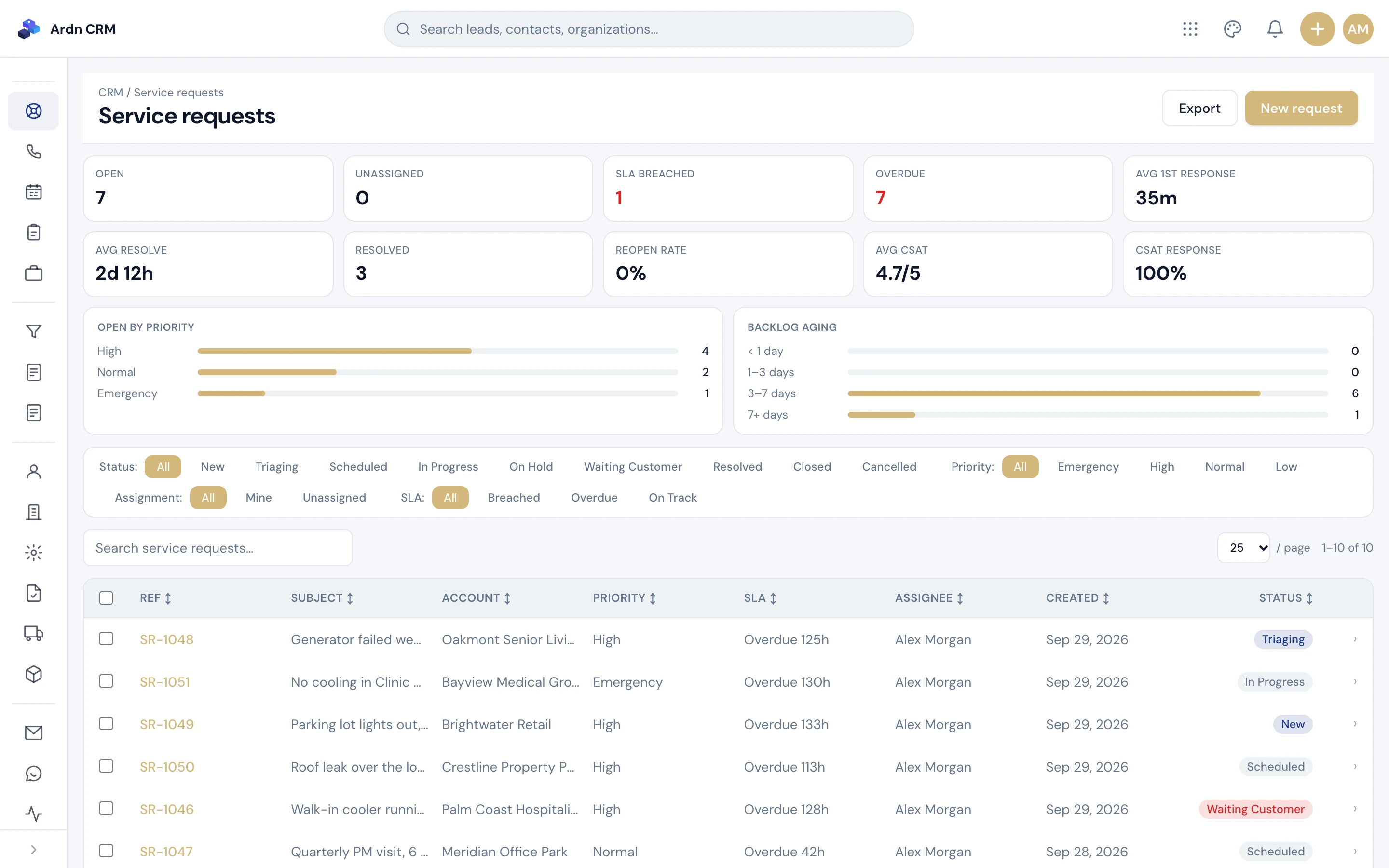
No request waits in an inbox.
Service requests carry an SLA clock set by priority. Miss it and the request escalates on its own. When it closes, the customer rates the visit.
- SLA clocks by priority
- Automatic escalation
- Customer ratings on close
Ardn CRM · Service desk
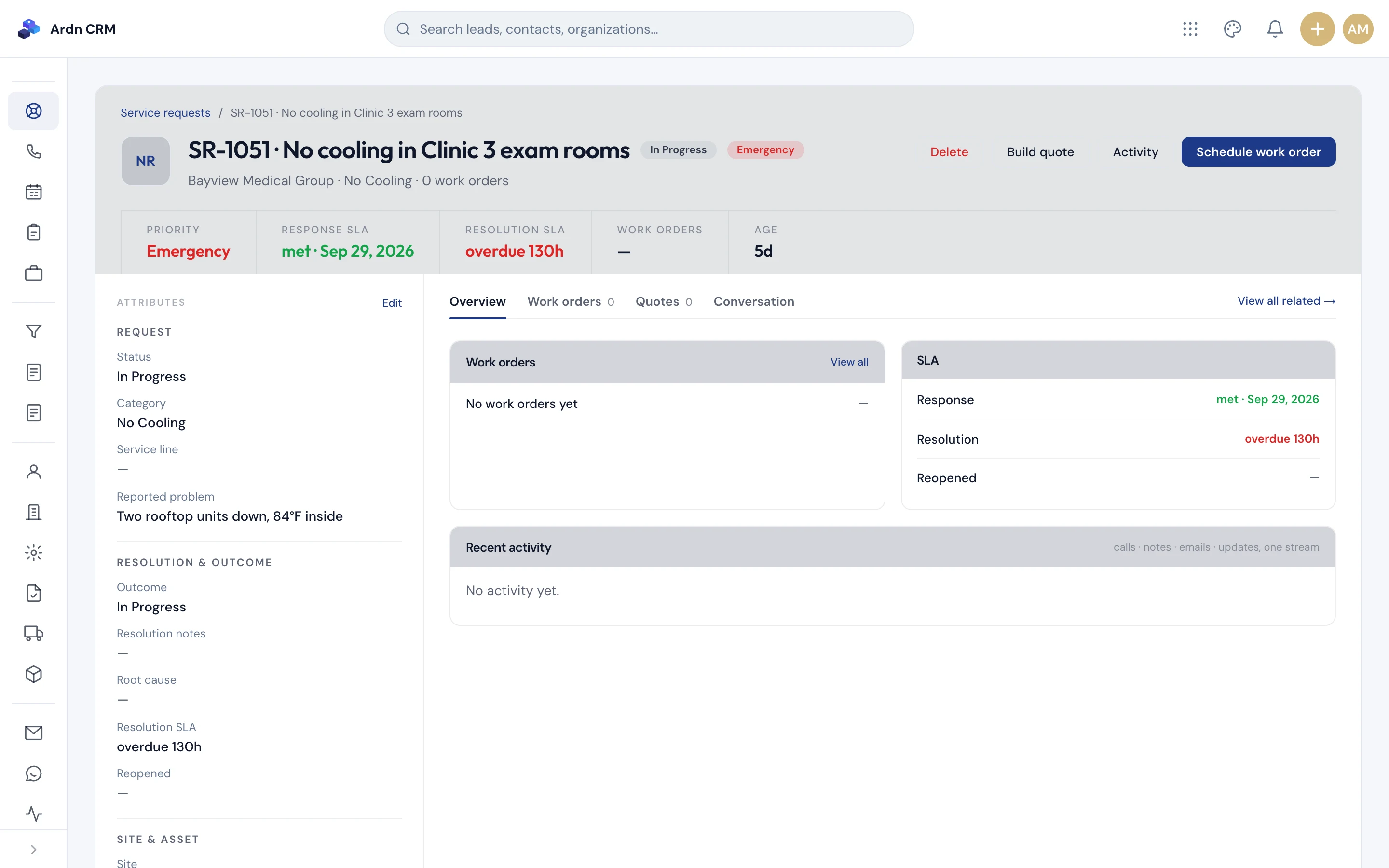
One request: priority, clock, owner, rating.
Priority, SLA clock, assignment and the customer's rating. The request lives on the customer's account next to the site, the quotes and the jobs, so whoever picks it up sees the whole history.
- Priority sets the SLA clock
- Assignment and escalation path
- Customer rating recorded on close
Ardn CRM · Service request
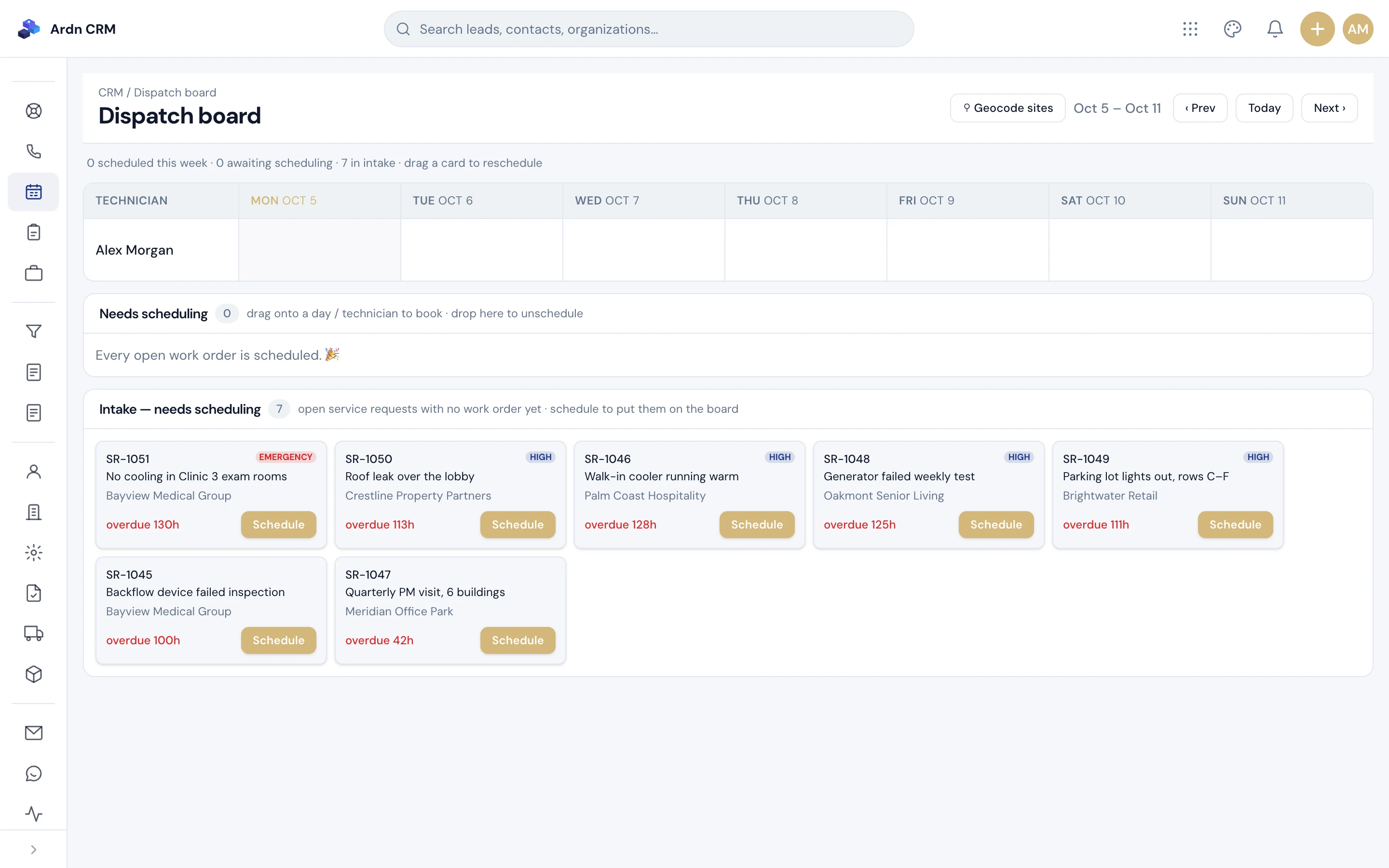
Who is where, today, without a phone call.
A dispatch board shows crews, work orders and bookings by day and location. Assign from the board and the work order updates for the crew.
- Crews and work orders by day
- Bookings and site visits
- Reassign by drag and drop
Ardn CRM · Dispatch
Screens show a demo company with fictional people and figures.
Quote from the product list. Convert in one click.
Quotes are built from your products and services, so pricing is consistent across estimators. When the customer accepts, one click creates the job with line items, site and contact already in place.
So a service request is never the first thing you know about a customer. The quote, the job and every visit are already on the account, with lifetime value calculated for you.
Never priced per seat.
By the modules you turn on and the locations you run, never per seat. Add your whole office and every crew lead without the bill growing. There is a one-time setup fee, and an optional managed service if you would rather we run it for you.
Yes. Ardn migrates your accounts, contacts, open deals, job history and notes from the previous CRM as part of setup, and checks the result with you before go-live.
Ardn is a US-based team with a 4-hour response SLA on its own support, and an optional managed service if you would rather we host, support and keep improving the product for you.
Service desk and SLA questions.
Clocks, escalation, dispatch, quotes, pricing and migration.
What does an SLA clock on a service request actually do?
Every service request gets an SLA clock based on its priority. If it is not picked up or resolved in time it escalates automatically to the next person, and when it closes the customer is asked for a rating, so you see how service actually feels.
How is this different from a ticket list in a field service app?
A ticket list shows what is open. A service desk adds a due time per priority, an owner, automatic escalation when the clock runs out, and a customer rating when the request closes. The request sits on the same record as the customer, the site, the quote and the job, so the office and the field work from the same facts.
How does the service desk keep a request from being forgotten?
Every service request gets an SLA clock based on its priority. If it is not picked up or resolved in time it escalates automatically to the next person, and when it closes the customer is asked for a rating, so you see how service actually feels.
Does it include dispatch, or only the service desk?
Both. A dispatch board shows crews, work orders and bookings by day and location. Assign from the board and the work order updates for the crew; reassign by drag and drop.
What happens between a quote and a job?
A quote is built from your product and service list, so pricing is consistent. When the customer says yes, one click turns the quote into a job with the line items, site and contact already filled in. Nothing is re-typed.
How is it priced?
By the modules you turn on and the locations you run, never per seat. Add your whole office and every crew lead without the bill growing. There is a one-time setup fee, and an optional managed service if you would rather we run it for you.
Can you move our data from the CRM we use now?
Yes. Ardn migrates your accounts, contacts, open deals, job history and notes from the previous CRM as part of setup, and checks the result with you before go-live.
Is this a managed service or software we run ourselves?
Either. Many teams run it themselves after setup. If you prefer, Ardn hosts, supports and keeps improving it under the optional managed service, the same way we run our other products.
Talk to us about your CRM
Tell us your trade, how many locations you run and what you use today. We'll reply within 4 business hours.
Sales, jobs and service. One system, no per-seat bill.
Book a 30-minute walkthrough and see Ardn CRM on a contractor's real week.