
ARDN Cloud Solutions
HomepageSearch Results

Custom Portal DevelopmentGive every user exactly the screen they need.

Customer, seller and staff portals connected live to your CRM, so light users stop needing a full per-seat license. One flat monthly fee, no matter how many people log in.
  • Two-way sync with your CRM
  • One flat fee, unlimited users
  • No migration, no retraining
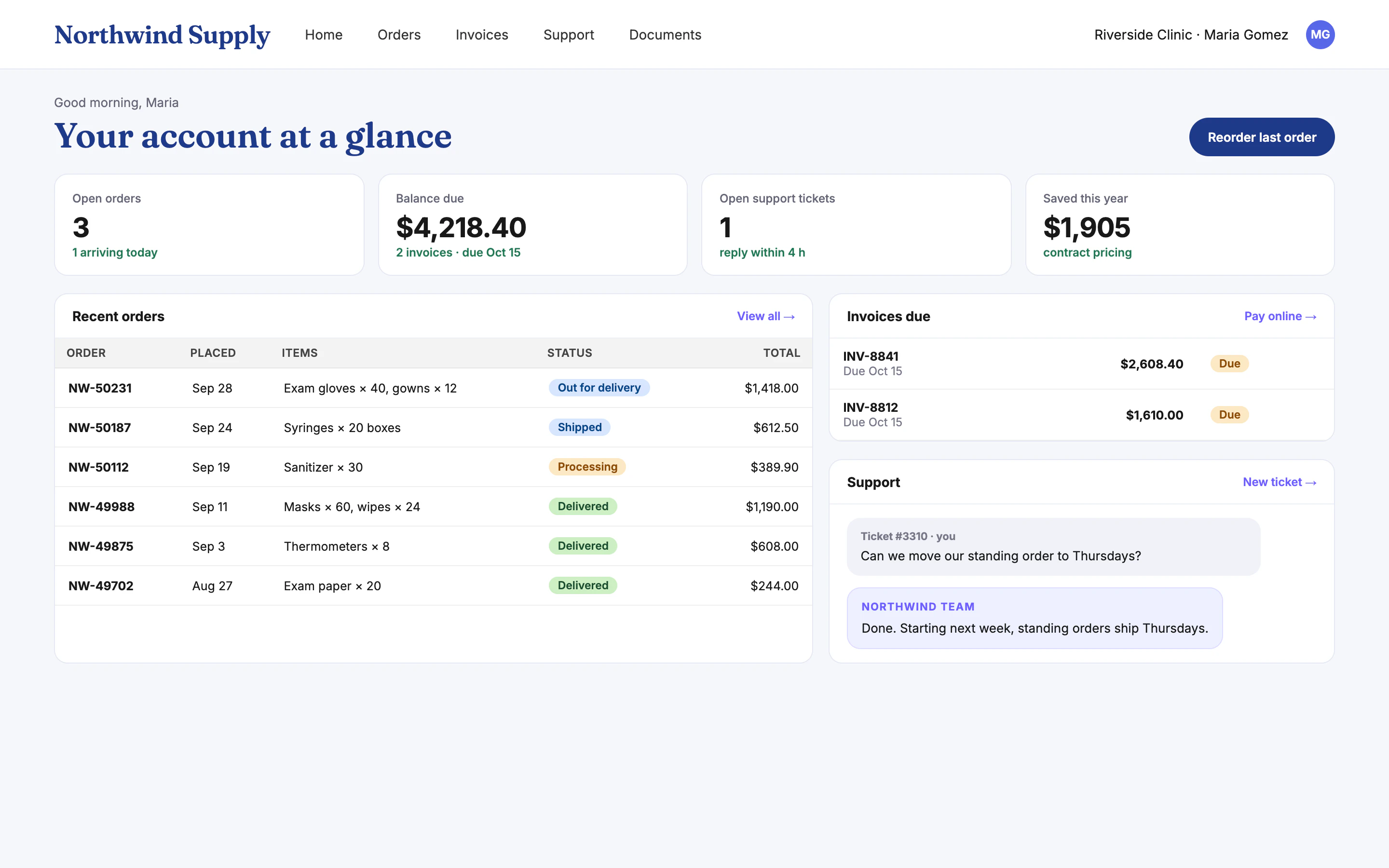
portal.northwindsupply.com
Example customer portal with orders, invoices and support

Example portals with fictional companies and figures.

1flat fee, however many users log in
0data migrations: your CRM stays the source
2–6weeks to a live first version
$0build fee for new customers
The per-seat problem

You're paying full CRM licenses for people who use a sliver of it.

Sellers checking stock, ops staff updating orders, customers checking invoices. Each one costs a full seat, every month.

Full seats

A license built for power users, bought for someone who checks one screen.

Clunky views

Stripped-down CRM screens that are still too much for light users.

Growing bill

Every new customer or seller adds to the renewal.

Portal tiers

Built-in portal licenses still bill per user and limit what you can build.

How it helps

A focused portal beats a stripped-down CRM view.

Faster for your users, cheaper for you, and your CRM stays exactly as it is.

Built for one group

Each portal fits one group's job: customers, sellers, ops or partners.

Live two-way sync

Changes land in your CRM instantly, so there's one source of truth.

One flat fee

A predictable monthly fee instead of per-seat licenses.

Yours and secure

Role-based access, audit trails, and you own the portal.

Example portals

Portals your users will actually open.

Two examples of portals that take light users off full CRM licenses.

Customer portal

Orders, invoices and support in one place.

Customers check orders, pay invoices, raise tickets and reorder without calling your team. Everything they do shows up on their CRM record.

  • Order tracking and one-click reorder
  • Online invoice payment
  • Support tickets with your team's replies
portal.northwindsupply.com
Customer portal home with orders, invoices and support
Seller portal

Stock, quotes and orders without a CRM seat.

Sellers look up live inventory across warehouses, build quotes and place orders. Every quote is saved to the right opportunity in the CRM.
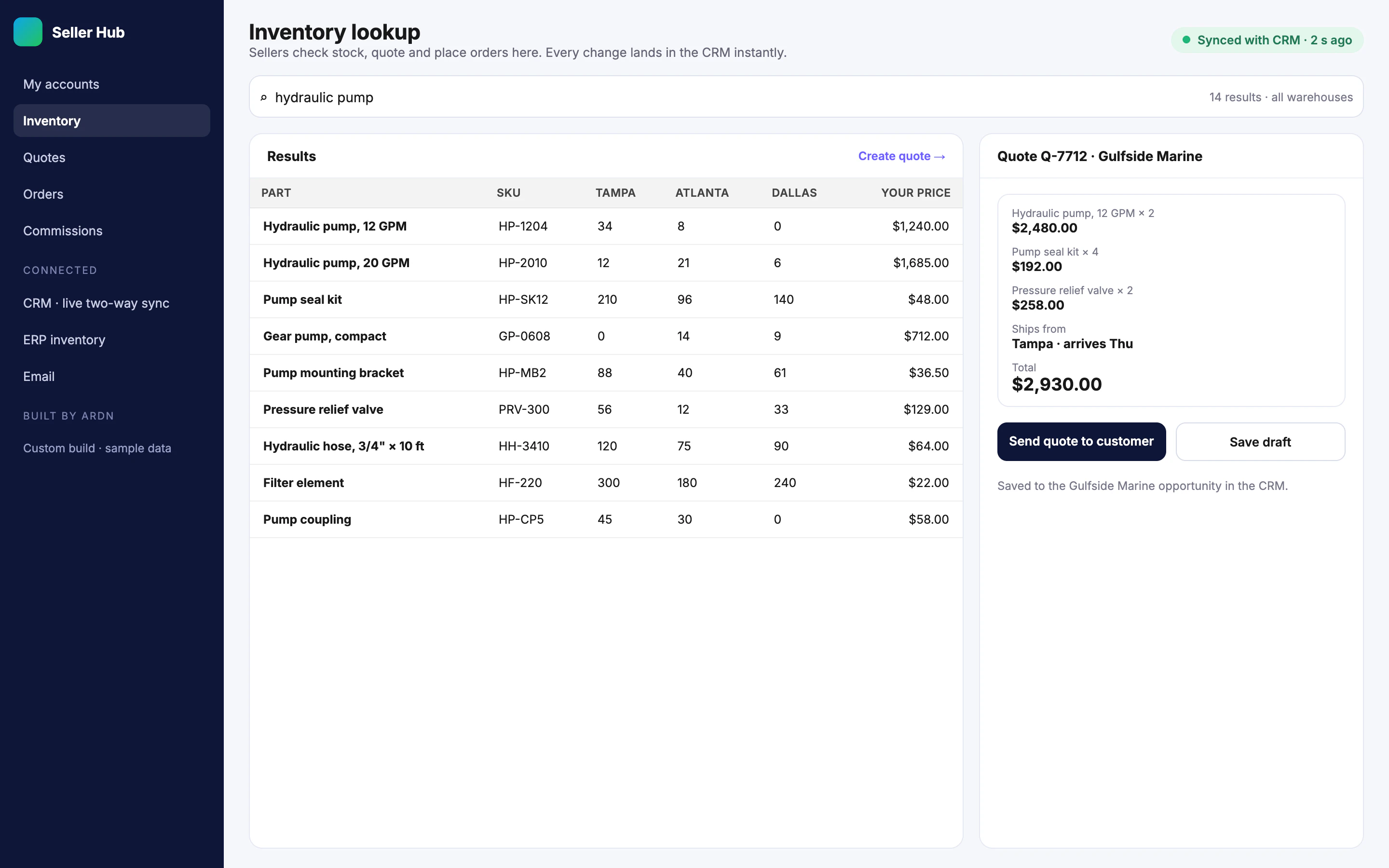
  • Live stock across locations
  • Quotes saved to the CRM opportunity
  • Works on a phone in the field
Seller Hub · Inventory
Seller portal inventory lookup with a quote in progress

Example builds shown with fictional companies, people and figures.

Want to see where a portal cuts your per-seat bill? We'll look at how your users actually use the CRM.

Book a free 30-minute call
Portals we build

One portal per group, each built to its job.

Connected to Salesforce, HubSpot, Dynamics or the CRM you already run.

Customer portals

Orders, invoices, documents and support.

Seller portals

Inventory, quotes, orders and commissions.

Ops & staff portals

Order updates, tasks and field work.

CRM integration

Two-way sync with your existing CRM.

Access control

Roles, single sign-on and audit trails.

Run for you

Hosting, monitoring and changes included.

How it works

Live in weeks, alongside your CRM.

No migration and no retraining for the people who use the CRM every day.

  1. 1

    Map your users

    We look at who uses what, and where a portal saves the most.

  2. 2

    Build

    A focused portal for one group first, with weekly demos.

  3. 3

    Connect

    Two-way sync with your CRM, tested on real data.

  4. 4

    Run & expand

    We host it and add the next group when you're ready.

Questions

What people ask us first

How do custom portals reduce our CRM costs?
Most CRM platforms charge a full per-seat license for every user — even people who only need a narrow slice of it, like sellers checking inventory, ops staff updating orders, or partners submitting requests. We build a custom portal that gives those users exactly what they need, integrated live with your CRM, on one flat fee instead of a per-seat license each. Your core CRM and data stay exactly where they are; you simply stop paying premium seats for light users.
Do we have to leave Salesforce or our current CRM?
No — that is the whole point. You keep your CRM and everything in it. The portal connects to it through its API and stays in sync both ways, so your power users keep working in the CRM while lighter users move to the portal. Nothing gets ripped out and nothing gets migrated.
What kinds of portals do you build?
Seller and sales portals, operations and back-office portals, partner and vendor portals, and customer self-service portals. Each is built to your exact workflow — the users get a clean tool focused on their job, not a stripped-down view of a platform they have to fight.
How does the data stay accurate across both systems?
The portal integrates two-way with your CRM, so it reads and writes the same records in real time. There is one source of truth — the portal is a tailored window into your CRM data, not a separate copy that drifts out of sync.
How is this different from CRM community or portal licenses?
Built-in community and portal license tiers still bill per user and limit what you can build. A custom portal is yours, runs on one flat monthly fee regardless of how many users you add, and is shaped exactly to your process instead of a vendor's template.
Do all my users really need a full Salesforce or HubSpot license?
Almost never. Per-seat pricing is built around the power user who lives in the platform, but most companies have far more light users — sellers, ops staff, partners, customers — who touch it for a handful of tasks. Those users don't need a full seat at all; they need a focused tool. Moving them to a custom portal doesn't just downgrade their license, it removes the seat entirely while your CRM stays the system of record.
How is a custom portal different from portal software like Experience Cloud, CRMJetty, or a no-code builder?
Those are all products you license — Experience Cloud bills per login or per member, productized portal add-ons and no-code builders (Softr, SuiteDash, and similar) bill per end-user or per subscription, and most still leave you to build and maintain the thing yourself. A custom portal from Ardn is the opposite on every axis: it's built and run for you, shaped to your exact workflow, integrated deeply with your CRM, and it runs on one flat fee you own — no per-seat or per-login meter stacked on top.
Is our data secure, and who owns the portal?
The portal reads and writes your CRM through its API, so there is no second copy of your data drifting out of sync, and every user's access follows the permissions you already define in your CRM. You own the portal IP and your data outright; if you ever leave, you get a full export and complete documentation. No lock-in.
How long does it take and what does it cost?
Most portals go live in 2–6 weeks via our AI Forge Framework, with a fixed quote within 48 hours of the first call. It runs on one flat monthly subscription that covers the build, hosting, and ongoing changes — and new customers pay nothing for the one-time build. The recurring license savings typically dwarf the subscription.
Free & no obligation

See what a portal could save you

Tell us which CRM you use and who needs access. We'll reply within 4 business hours.

We reply within 4 business hours · No obligation

We'll only use this to reply about your project. No spam, ever.

Keep your CRM. Stop paying for seats nobody needs.

Book a free call. We'll show you where a portal cuts the bill and send a fixed quote within 48 hours.

Book a Free Call