

Scattered data is the number one thing that slows down e-commerce teams. And honestly, it shows.
Your store’s on one platform, your data’s in another, support can’t see orders, marketing can’t trust purchase data, and ops spends half the week reconciling “the other system.”
Salesforce-native solutions are changing that, bringing storefront, service, and marketing under one roof that actually works.
But once you start looking into “native” options, things get messy fast. Some promise quick setups, others rely on heavy customization, and it’s tough to tell which ones truly fit your scale, your products, or your timeline.
More importantly, you have to think about how well it plays with the rest of your Salesforce ecosystem and how much complexity your team can realistically take on.
This guide lays out the best Salesforce-native ecommerce solutions side by side, with a clear look at what each offers, where it shines, and when it might be too much (or too little) for your team.
The Must-Check Criteria for Any Salesforce-Native E-Commerce Solution
Before comparing tools, it helps to know what really separates a good fit from a painful one. Every platform sounds excellent on paper until you look at it closely and see how “native” it actually is and how quickly you can get from setup to selling.
Here’s a quick breakdown of what to look for and why it matters:
| Criterion | What to Look For | Why It Matters |
|---|---|---|
| Integration depth | Native Salesforce setup or real-time, first-class connectors | Prevents data silos and keeps storefront, service, and marketing aligned. |
| Go-to-market speed | Low-code builders, prebuilt checkout | Helps you launch faster and cut implementation risk. |
| B2B vs. B2C fit | B2B: pricing, approvals, reorders. B2C: merchandising, promos, checkout | Ensures core workflows are built-in, not custom add-ons. |
| Customization ceiling | APIs, flows, or flexible page components | Lets you extend as you grow without needing a rebuild. |
| Scalability | Proven uptime, elastic traffic handling, multi-site support | Keeps performance steady during peaks and supports global growth. |
| AI & personalization | Search, recommendations, and targeting tied to CRM data | Boosts conversions and keeps experiences consistent across teams. |
Start small. Shortlist a few tools that fit your budget and Salesforce setup. Then see them in action. A quick demo tells you more than any feature list. Loop in your Salesforce admin early, and talk to teams already using the tool if you can.
Once you’ve done that, you’ll have a clearer sense of what really matters for your team and which Salesforce-native e-commerce solutions are worth a closer look.
Best Salesforce Native E-commerce Solutions
Let’s get started with the first one in the lot:
#1 ARDN Storefront: The All-in-One Native Salesforce Commerce Solution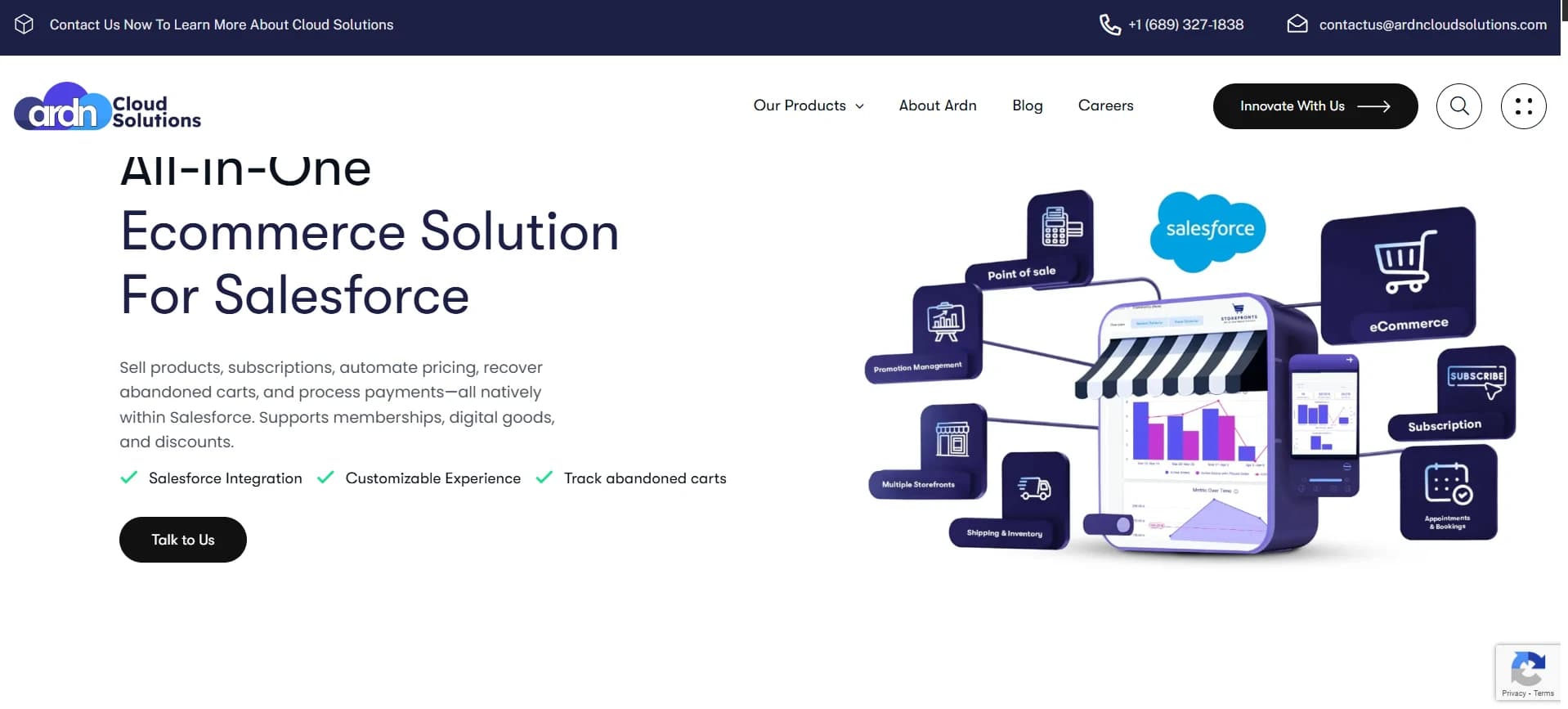
ARDN Storefronts is a fully native Salesforce e-commerce solution that lets you manage products, subscriptions, memberships, appointments, and event ticketing directly within Salesforce. It eliminates the need for separate platforms, reducing integration complexity and keeping all customer data in one place.
What makes ARDN Storefronts stand out?
- Native Salesforce Ecommerce: You can customize it and make it your own. Everything runs inside Salesforce, removing the need for middleware or separate platforms. Orders, customer info, and product data are all connected, simplifying operations and reporting.
- Products & Pricebook Management: You can manage unlimited SKUs, multiple pricebooks, and even sell from custom Salesforce objects.
- Checkout & Payments: It integrates with Stripe, Paymentus, and payment types like ACH, credit card, GPay, Apple Pay, and PayPal.
- Inventory & Order Management: You get real-time stock updates, and automated order processing reduces errors and manual reconciliation, letting teams manage warehouses and fulfillment from the CRM.
- Subscriptions & Memberships: Recurring billing and membership renewals are fully automated within Salesforce. Track engagement and renewals without needing a separate subscription platform.
- Promotions & Workflows: The tool lets you create and manage discount codes, rules, and campaign logic using Salesforce-native automations. Workflows can mirror real business processes without extra coding.
Most Salesforce-native commerce apps stop at lightweight use cases. Storefronts go much further. You get a 360-degree customer view! It handles products, subscriptions, events, appointments, memberships, and full order flows in one place.
And because it lives natively in your CRM, your team isn’t guessing where data lives or waiting on external connectors to behave. Everything is already in the system you trust!
If you rely on Salesforce every day, Storefronts feels like the version of commerce that should have existed all along.
Ready to see how it fits your business?
Commerce Studio by 1440 is a Salesforce-native managed package built specifically for multi-channel ecommerce operations. It was originally launched as Cloud Conversion in 2009 and later merged into 1440 Inc.
Key Features:- Real-Time Multi-Channel Inventory Sync: When inventory moves (warehouse, marketplace, or store), every connected channel updates.
- Returns Management: Processing a return becomes a consistent workflow without multiple return portals. It automates messaging and warehouse processing.
- Payment Processing Inside Salesforce: You get PCI-compliant payment handling tied directly to orders.
- It is not a storefront builder (You still need Shopify, Magento, etc.)
- Might not be a good fit if you’re a brand selling only on one channel
- The starting price is $300/month for the Essentials Plan
Founded by Mikel Lindsaar in 2018, StoreConnect leans heavily into its philosophy of customer commerce. It is the idea that all your customer touchpoints should live inside Salesforce, instead of being scattered across external apps and APIs.
Key Features:- Integrated POS: Salesforce instantly reflects in-store orders, returns, payments, and customer profiles.
- Multi-Currency & Regional Logic: Local pricing, tax rules, and regional storefronts are all automatically handled.
- Agentic AI via Salesforce Agentforce: The AI agents trained on your Salesforce data handle customer questions, look up orders, update records, and reduce manual support load!
- A bit more expensive than the other storefront tools
- Transaction fees (0.2%-0.6%) add up for high-volume brands.
- There is a 90-day free trial.
- Pricing starts with the Boutique Plan for $995/month
Unlike general e-commerce tools, Fonteva is designed for associations, nonprofits, and professional societies that depend on renewals, dues, events, donations, and courses.
Because everything runs natively on Salesforce, your team never has to jump across disconnected systems again. Memberships, purchases, payments, CE credits, donations, and event registrations all land in a single member record.
Key Features:- Membership Management: You get automated join/renew workflows, membership tiers, grace periods, and self-service upgrades.
- Integrated eCommerce: You can sell memberships, merchandise, tickets, courses, and donations without needing a separate storefront.
- Reports & Drag-and-Drop Dashboards: Use the reporting engine to build financial dashboards, engagement scores, and membership KPIs.
- Users share that the initial setup is complex and time-consuming.
- The membership starts at $30,000/company/year.
Other Salesforce E-commerce Solutions
Here are a few third-party (non-native) tools that you can integrate into your Salesforce e-commerce system:
#5. Nexternal Solutions: For B2B Brands That Need Procurement-Ready Ordering
Nexternal, now a part of TrueCommerce, is made for B2B teams managing volume pricing, custom catalogs, and ERP workflows. Instead of relying on custom builds or duct-taped processes, Nexternal gives you structure from day one.
It is directly available on AppExchange but is not a native tool.
Key Features:- Punchout Procurement Integration: It lets buyers use their procurement system (e.g., Oracle, SAP, or Ariba) to place orders on your site, then send the order back into their system. Reduces manual entry and improves accuracy.
- B2B Order Management: The tool easily handles complex B2B workflows like CSV bulk orders, phone or fax orders, and structured order routing based on account logic.
- ERP & Back-Office Integration: You get deep integration with SAP, Oracle, NetSuite, Sage, Microsoft Dynamics, and more to keep order, customer, and inventory data synchronized.
- Pricing is custom
Shopify Plus runs outside Salesforce, so it doesn’t behave like a native CRM-first platform. Instead, it gives you a powerful storefront, industry-leading checkout performance (thanks to Shop Pay), and the ability to launch quickly without the heavy lift of a traditional enterprise build.
Key Features:- ShopPay Checkout: ShopPay is quick, trusted, and helps boost conversions, especially for returning buyers.
- Social selling: You can sell in the channels and marketplaces exactly where your customers are.
- Wholesale Tools: You get account-based pricing, custom catalogs, and bulk order workflows.
Shopify Plus goes by a subscription model:
- $2,300/month (3-year contract)
- $2,500/month (1-year contract)
Adobe Commerce (formerly Magento) sits in a very specific corner of the ecommerce world. It’s built for large, technical teams that want full control, from front-end to back-end, integrations, everything.
It’s not native to Salesforce, but if your team already works heavily with APIs and you prefer an environment you can mold exactly the way you want, Adobe Commerce gives you that room.
Key Features:- Two-way customer syncing: Your customer accounts and contacts stay updated on both sides. If someone changes something in Adobe Commerce, it quietly updates in Salesforce too.
- Real-time lead syncing: Every inquiry, from contact forms to product questions, shows up in Salesforce instantly.
- Product, category & order mapping: Each item gets a Salesforce ID so you can match everything easily. Orders go back to Salesforce with full details, including billing, shipping, tax, and freight. And you get massive catalog support (1M+ SKUs)
- You can request the team for a quote.
Let’s Compare the Best Salesforce Ecommerce Solutions!
| Tool name | Best feature | Who it’s for | Scalability | Starting price |
|---|---|---|---|---|
| ARDN Storefronts | Native all-in-one commerce | Retail Chains, multi-location, manufacturing, memberships | High | Custom pricing. Approx. $2500/year |
| Commerce Studio by 1440 | Multi-channel order sync | Retailers on 3–7 channels | Medium-High | $300/mo |
| StoreConnect | Native ecommerce + POS | Multi-location retail, nonprofits, healthcare, education | Medium-High | $995/mo (+0.2–0.6% fee) |
| Fonteva eCommerce | Membership + events ecommerce | Associations, nonprofits, societies | High | $30,000/year |
| Nexternal (TrueCommerce) | Punchout procurement | B2B manufacturers, distributors | High | Custom |
| Shopify Plus | Shop Pay checkout | High-growth D2C, omnichannel | High | $2,300–$2,500/mo |
| Adobe Commerce (Magento) | Enterprise composable architecture | Enterprise B2B/B2C, custom builds, 1M+ SKUs | High | Custom |
When you stack platforms side by side, the numbers help… but they never tell the full story. You start asking yourself the real questions: How hard will this be for my team? Will it scale the way we need? Are we choosing something that feels manageable, not overwhelming?
So before you decide what makes the most sense for your business, it helps to look a little closer at how the tool actually supports your operations.
Common Pitfalls: Mistakes Brands Make When Choosing Salesforce Ecommerce Solutions
When you’ve seen enough teams go through this decision, you start noticing the same things happening again and again. It’s rarely a “bad platform” problem but usually a misunderstanding of what the business actually needs or what the platform realistically takes to run. These are the things brands almost always overlook.
A lot of teams default to Commerce Cloud because it’s the big, enterprise name. And yes, it’s powerful. But many brands end up paying for features they never use. You’d be surprised how often companies only use 20-30% of the features they paid for.
The Fix: Step back and look at what you actually need right now. If you’re not dealing with massive catalog complexity or global operations, Storefronts might fit better.
This one stings because everything feels smooth at the start. Then the data sync issues start: orders missing, refunds not matching, and marketing events drifting.
The Fix: If Salesforce is your customer system of record, it’s easier (and cheaper long-term) to keep e-commerce aligned with it from the beginning.
Everyone wants a quick launch. And yes, some teams do pull off impressive timelines, but realistically, large Salesforce builds do take time (a lot!) There’s data, design, dev, QA, integrations… and it all adds up.
The Fix: Plan for a 6-month runway at minimum. A clear SOW makes a huge difference in keeping things predictable.
Here, customer visibility breaks down. When e-commerce data lives in separate systems, the customer record becomes patchy. Marketing can’t see what customers bought, support can’t check order history, and your reports don’t line up.
The Fix: Keep data flowing into Service Cloud and Marketing Cloud cleanly. Native solutions naturally do this better than connectors.
Questions You Must Ask Before You Buy!
Before you hit “add to cart” and take the final call, it helps to pause for a minute and check a few basics. Just think of it like a quick gut-check so you don’t end up with something that looks great online but doesn’t work for your setup.
Here are a few easy questions to ask yourself:
Does this actually solve the problem I have right now?
Is it compatible with the gear I already own?
Will it last, or will I end up replacing it soon?
Do the reviews mention anything I care about?
Is the brand known for decent customer support?
Does the price feel fair for what you’re getting?
Sometimes a product looks good, but if it doesn’t fix your specific issue, it’s not worth it.
No one wants to buy something only to realize it doesn’t fit or won’t work with their current setup.
A slightly better-built option can save money in the long run.
Just skim for the things that matter to you.
Not exciting, but very useful if things go wrong.
Trust your instinct here. If something feels off, it usually is.
It’s Time to Pick the Right Salesforce Ecommerce Fit
As long as you’re clear about what you actually need, how you want your store to run, and the kind of support you expect, the decision becomes a lot easier. Just stay focused on what works for your business right now instead of getting distracted by features you’ll probably never use.
If you want a Salesforce e-commerce solution that’s clean, easy to manage, and doesn’t overcomplicate your life, ARDN storefronts fit that sweet spot. You get everything you truly need to run your store smoothly, without piling on tools you’ll never touch.
No pressure to decide now. Just explore it when you’re ready. If it makes your day a little easier, great. If not, you’ll at least have more clarity on what you actually need!