

Did you know nearly 90% of e-commerce businesses fail within 120 days? Most don't fold because of bad products, but because their platforms can't keep up. The ones that get it right can see up to 271% ROI in just three years.
That's where platform choice makes or breaks you. When your site crashes during a sale or your inventory slips out of sync, customers don't wait around. 80% of B2B buyers move on after one bad digital experience.
For many brands, Salesforce Commerce Cloud has been the answer, keeping operations connected and scaling smoothly under pressure. But for others, it's become an expensive, complex system that demands months of setup and specialized expertise.
So if you've been wondering whether Salesforce Commerce Cloud is still the best fit, or if it's time to explore alternatives, you're in the right place.
In this guide, we'll see where Salesforce Commerce Cloud shines, where it struggles, and the best alternatives that are quietly rewriting the enterprise e-commerce playbook for the coming years.
(Feel free to jump to the alternatives right away!)
Why Businesses Start Looking Beyond Salesforce Commerce Cloud
Salesforce Commerce Cloud is a powerhouse, no doubt about it. But it's not always the perfect fit for every business. Here's what usually pushes teams to start exploring alternatives:
Cost Adds Up Fast- Licensing fees: That 1–2% of GMV might sound manageable at first, but it can get steep as your sales scale.
- Implementation costs: Full enterprise setups often cross the $150K–$500K mark before you even go live.
- Ongoing costs: Most brands still rely on partners for updates and fixes, which can mean another $2K–$10K a month.
- Two platforms to manage: You're managing Business Manager and Salesforce Setup, which means double the admin work.
- Specialized skills: SFCC experts aren't the same as Salesforce admins (and they're not easy to find.)
- Integration fatigue: Syncing data between SFCC and Salesforce CRM often means extra APIs, middleware, and maintenance.
- Time to value: Implementations can stretch to 6–12 months, not ideal if you need to move fast.
- Salesforce-first companies: If you're already deep in the Salesforce ecosystem, running a separate Commerce Cloud instance can feel redundant.
- Mid-market brands: You might not need all that enterprise-level complexity.
- Fast-moving teams: You want to launch in weeks, not half a year.
- Budget-conscious teams: You'd rather make the most of the Salesforce tools you already pay for.
If any of this sounds familiar, exploring alternatives isn't a step back. It's a smart way to make sure your tech stack fits where your business is headed.
But, before you start comparing, it helps to understand what Salesforce Commerce Cloud (SFCC) actually brings to the table.
Think of this as your baseline. Once you know what SFCC really offers, it's easier to see whether sticking with it makes sense or if another platform could serve your business better.
That said, if you already know your way around SFCC and just want to see how it stacks up against other platforms, feel free to jump ahead to the Alternatives section.
What is Salesforce Commerce Cloud?
Salesforce Commerce Cloud is a cloud-based e-commerce platform that helps businesses manage every part of their online operations, from product listings and pricing to checkout and customer service. It is part of the larger Salesforce ecosystem, which means it connects easily with tools for marketing, sales, service, and analytics.
Understanding the Basics of Salesforce Commerce CloudIn simple terms, it gives enterprise businesses one connected system to handle everything that happens when customers browse, buy, and return, whether they are shopping online or in-store.
The platform runs on a multi-tenant cloud infrastructure. Every business uses the same core technology but can customize it to fit their brand and workflows. There's no server maintenance or manual updates to worry about. Everything stays current, secure, and ready to handle growth.
From Demandware to CloudCraze: The Story Behind SFCCSalesforce Commerce Cloud (SFCC) is the result of two powerful acquisitions that Salesforce brought together under one platform.
It started with Demandware, which Salesforce acquired in 2016. Demandware was already a favorite among big B2C retailers for its flexibility and ability to handle massive spikes in traffic during big sales or holiday rushes. It gave brands the tools to deliver fast, reliable shopping experiences across web, mobile, and social channels.
Then came CloudCraze, a native B2B commerce platform built on Salesforce itself. It added everything B2B sellers needed, such as bulk ordering, contract pricing, and custom workflows for managing complex buying relationships.
When Salesforce combined the strengths of both, the result was Commerce Cloud, a single ecosystem that supports every business model, whether it's selling to consumers, other businesses, or directly to end users.
Overview of the Commerce Product SuiteSalesforce Commerce Cloud isn't just one product. It actually came together through two major acquisitions that shaped what it is today.
Here's how it breaks down:

- B2C Commerce: Built for brands selling directly to consumers. It supports personalized storefronts, multi-language and multi-currency setups, and frictionless shopping experiences across web and mobile.
- B2B Commerce: Designed for manufacturers, wholesalers, and distributors. It handles large order volumes, complex pricing structures, and long-term customer relationships with account-based management.
- D2C Commerce: Helps traditional B2B companies launch direct-to-consumer channels without building an entirely new system. It's a fast way to reach customers directly while staying within the Salesforce ecosystem.
- Order Management System (OMS): Coordinates orders across multiple channels, ensuring inventory visibility, accurate fulfillment, and smooth post-purchase experiences like returns and exchanges.
- Modern POS (Point of Sale): The platform extends into the physical retail space, helping bring sales, inventory, and customer data into the same system whether a purchase happens online or in a store.
Together, these solutions give enterprises a connected system that can grow with their business.
Now, there's a huge difference we need to address…
B2B, B2C, or D2C: Which Commerce Model Fits You Best?
Businesses don't sell the same way, and Salesforce knows that. The buying journey for a large distributor is miles apart from a shopper adding sneakers to their cart or a brand launching its own direct-to-consumer channel. Each model needs a different kind of flexibility, automation, and data visibility to keep things running smoothly.
That's why Salesforce Commerce Cloud is built to support all three: B2B, B2C, and D2C. Before you choose the right fit, it helps to understand how these models differ in strategy, customer experience, and the technology that supports them.
Here's a table for a quick sneak peek:
| Feature | B2B Commerce | B2C Commerce | D2C Commerce |
|---|---|---|---|
| Primary Buyer | Business accounts | Individual consumers | End consumers (direct) |
| Order Size | Large (100+ items) | Small (1-10 items) | Medium (1-20 items) |
| Purchase Process | Multi-step approval | Instant checkout | Simple checkout |
| Pricing Model | Negotiated/tiered | Fixed retail pricing | Direct pricing |
| Payment Methods | PO, Net terms, ACH | Credit cards, PayPal | Cards, digital wallets |
| Decision Timeline | Weeks to months | Minutes to hours | Hours to days |
| Catalog Access | Customer-specific | Public for all | Public with exclusives |
| Personalization | Account-based | Individual behavior | Brand storytelling |
| Mobile Priority | Desktop-focused | Mobile-first | Mobile-optimized |
| Inventory Model | Bulk quantities | Individual units | Mixed units |
| Shipping | Bulk/freight | Parcel delivery | Direct fulfillment |
| Customer Service | Relationship managers | Self-service + chat | Brand-direct support |
| Sales Cycle | Long, relationship-driven | Short, impulse-driven | Medium, education-driven |
| Integration Needs | ERP, procurement | Marketing, analytics | Manufacturing, retail |
| Key Success Metric | Customer lifetime value | Conversion rate | Direct margin |
| Typical Order Value | $1,000-$100,000+ | $50-$500 | $100-$1,000 |
| Repeat Purchase | Scheduled/contracted | Loyalty-driven | Subscription-based |
| Platform Architecture | Native Salesforce | Acquired (Demandware) | Hybrid approach |
| Implementation Time | 6-12 months | 3-6 months | 4-8 months |
| Primary Challenge | Workflow complexity | Scale and speed | Channel conflict |
These versions aren't just different variants of the same product. They built for entirely different ways of selling.
B2B Commerce ArchitectureSalesforce B2B Commerce is built directly on the Lightning Platform, using Apex and Lightning Web Components. Because it's part of the Salesforce ecosystem, your CRM data, permissions, and security setup are already connected from day one.
The platform is structured around business accounts and hierarchies, exactly how real B2B organizations work. Buyers are linked to accounts with their own catalogs, pricing, and approval processes.
Some key capabilities:
- Handles shopping carts with up to 2,000 line items
- Manages multi-location delivery and scheduling
- Supports contract-based and volume-tiered pricing
- Integrates with ERP and procurement systems easily
Choose B2B Commerce if your business deals with complex accounts, negotiated pricing, and repeat corporate orders. It's ideal when:
- You sell to organizations with multiple buyers or departments.
- Orders require approvals or contract terms.
- You depend on ERP integration for fulfillment.
Here's an Example: A hydraulic systems distributor uses B2B Commerce to serve over 2,000 clients. Each client has its own pricing, approval workflows, and ERP-linked inventory visibility. What used to be a slow, manual ordering process now runs digitally with far fewer errors.
B2C Commerce ArchitectureSalesforce B2C Commerce, originally built on Demandware, is made for large-scale consumer retail. Its evolution, from SiteGenesis to SFRA and now headless, has all focused on keeping shopping smooth and fast.
Core capabilities:
- Scales automatically during high-traffic events like sales
- Delivers mobile-optimized, responsive storefronts
- Uses Einstein AI for real-time personalization
- Connects storefronts seamlessly across web, app, and social
Choose B2C Commerce if your brand lives on great customer experiences and high traffic volumes. It's a good fit when:
- You sell directly to consumers with frequent, smaller orders.
- Checkout speed and mobile usability matter most.
- You rely on social campaigns or seasonal promotions to drive traffic.
Example: A fashion retail brand runs its online store and mobile app on B2C Commerce. Einstein AI powers personalized recommendations, while one-click checkout on Instagram helps them boost sales and keep inventory synced across all channels.
D2C Commerce ArchitectureD2C (Direct-to-Consumer) sits right between B2B and B2C. It's built for manufacturers and established brands that want to sell directly to customers without relying on distributors or retailers.
Key highlights:
- Real-time inventory sync with manufacturing systems
- Custom branding tools and storefront templates
- One-click Express Checkout with integrated tax and delivery
- Payment flexibility, from credit cards to invoice-style billing
Choose D2C Commerce if you want to connect directly with your customers while keeping your existing B2B operations intact.
- You're cutting out middlemen to sell straight to consumers.
- Your logistics can handle direct order fulfillment.
- You want more control over brand experience and customer data.
Example: A sustainable clothing brand uses D2C Commerce to manage its online store while maintaining wholesale operations. They offer full product transparency and carbon tracking, helping build a community of conscious customers who value their story as much as their products.
Core Features and Benefits of SFCC
If you're running enterprise commerce, Salesforce Commerce Cloud is like having a system that keeps your operations, data, and customer experience all in one place. Here's why it matters.
Everything Works TogetherThe first thing you'll notice is how connected everything feels. With Customer 360 and Data Cloud, all your teams (marketing, sales, or service) are looking at the same real-time customer info. That means you can see what someone browsed, bought, or asked about, whether it's online, mobile, or in-store. No more guesswork!
Inventory That Actually Follows the ActionCommerce Cloud's Omnichannel Inventory system is impressive. You get near real-time stock levels across warehouses, distribution centers, and stores. You can:
- Track inventory across up to 50 locations in Growth editions
- Keep online stores, apps, and physical locations in sync
- Hold inventory automatically during checkout
- Optimize fulfillment with ship-from-store, BOPIS, and endless aisle setups
The POS system is mobile-first, which means your store staff can see stock, help with orders, and manage customer profiles without hopping between systems. And updates? No IT required. (It's all no-code.)
AI That Actually Does the WorkSalesforce puts Einstein AI everywhere. It suggests products, sets up promotions, and even helps with checkout. The best part is Agentforce, which isn't just any chatbot. It learns, adapts, and guides customers naturally through shopping.
It can:
- Answer questions in plain language
- Suggest products based on what the customer's browsing and buying
- Help finish purchases without friction
The Order Management System (OMS) handles complicated orders easily:
- Split orders across multiple locations automatically
- Real-time tracking and automatic customer notifications
- Handle exceptions for stock shortages or delays
- Integrate returns and refunds seamlessly
It also hooks into ERP and finance systems, so fulfillment is smooth from start to finish.
Pricing That Actually Fits Your BusinessWhether you're B2C or B2B, Commerce Cloud has you covered:
- B2C: Multi-currency, dynamic pricing, automated promotions, tiered discounts
- B2B: Contract pricing, volume discounts, approval workflows, multi-level pricing
Big orders or small, negotiated contracts or impulse buys can be, all can be handled by the platform.
Smarter Inventory DecisionsIt predicts what you'll need. You'll be prepared for anything, from seasonal spikes to sudden stockouts.
- Forecast demand using historical data
- Balance safety stock with costs
- Automate reorder points and prioritize high-value customers
If you're selling internationally Commerce Cloud lets you manage multiple sites and regions with:
- Local languages, currencies, and regulatory compliance
- Centralized content with local flexibility
- Regional payment methods, taxes, and reporting
This way your brand stays consistent globally but still feels local to each customer.
Performance That Keeps UpEven if traffic spikes, Commerce Cloud keeps your site fast and smooth with regional data centers, content delivery networks, and mobile optimization. So no slow pages, no frustrated customers.
Here's a quick decision matrix:
| Business Need | Primary Benefit | Key Feature |
|---|---|---|
| High-Volume Sales | 99.99% historical uptime, enterprise-grade reliability | Near real-time inventory visibility and multi-location fulfillment |
| Global Expansion | Multi-currency and localization support | Up to 150 currencies per B2C multi-currency site, localized payments/taxes support |
| Customer Experience | AI-driven personalization and omnichannel | Agentforce guided shopping, Customer 360 profiles |
| Operational Efficiency | Automated workflows and unified data | Order Management plus Einstein AI |
| B2B Complexity | Contract pricing and approvals | Account contracts and bulk ordering |
| Mobile Commerce | Mobile-first and PWA support | Composable Storefront/PWA Kit for app-like UX |
How Salesforce Commerce Cloud is Built
If you want to understand how Commerce Cloud handles everything from checkout to large-scale international deployments, it helps to look at the architecture and developer side of things.
Platform Architecture and Developer ViewSalesforce gives you options, so you can pick the setup that fits your business and technical needs.
Traditional SFRA ArchitectureThe Storefront Reference Architecture (SFRA) is Salesforce's original, monolithic setup. Here, the front-end and back-end are all connected, using server-side rendering and MVC patterns. It’s stable, predictable, and works well if you want an easy, straightforward deployment within Salesforce’s ecosystem.
Some highlights:
- Multi-page architecture with full-page reloads
- Built-in content and merchandising management through Business Manager
- Modular cartridges for extending functionality
- Bootstrap framework for responsive design
The PWA Kit is Salesforce's headless, modern approach. It separates the front end from the back end, giving developers freedom to create highly customized experiences.You’re still using Commerce Cloud’s powerful back-end services, but the front-end can be a React or Vue.js app.
- Single-page application (SPA) for faster navigation
- API-first approach with SCAPI and OCAPI
- Progressive Web App support: offline mode, app-like behavior
- Managed Runtime handles hosting, scaling, and performance automatically
Composable Commerce takes the headless idea further. Instead of relying on one platform for everything, you can pick best-in-class services for payments, personalization, search, and more.It’s all modular and connected via APIs.
- Microservices-based for independent scaling
- Cloud-native infrastructure for performance and reliability
- Flexible modular selection for payments, search, or AI features
- Future-proof: add new tech without migrating the whole platform
Salesforce makes it easier for devs with SDKs, APIs, and cartridges:
- Commerce SDK (Node.js, React, Isomorphic): For building front-end or server-side apps
- SCAPI: Modern RESTful API layer for shoppers and admin tasks
- Cartridges: Modular components that can be reused and deployed across sites
- SFRA Framework: Templates, controllers, and styling to speed up development
Commerce Cloud is built to scale from startups to global enterprises:
- Auto-scaling infrastructure adds resources automatically during traffic spikes
- Global CDNs and regional data centers keep sites fast worldwide
- API optimization ensures shopper APIs respond in 10 seconds, admin APIs in 60
- Monitoring and analytics help identify bottlenecks before they become problems
No matter how big your traffic gets or how complex your operations are, the platform keeps things running smoothly.
The SFCC Integration Ecosystem
One of Commerce Cloud's biggest strengths is how well it connects with the systems you already use (and the ones you might want to add.)
CRM, OMS, ERP & Payment IntegrationsCommerce Cloud plugs directly into Salesforce Customer 360, so your customer data, orders, and interactions stay in sync automatically.
- Sales Cloud: Track the full customer journey, manage account-specific pricing, and turn quotes into orders.
- Service Cloud: Give agents access to orders, returns, and support cases, plus link field service visits to purchases.
- OMS: Intelligent order routing, split shipments, returns handling, and exception management across warehouses, stores, and 3PLs.
- ERP Integration: Connects to SAP or Microsoft Dynamics to sync products, inventory, orders, and financial data in real time.This means less manual work, fewer errors.
- Payments: Use Salesforce Payments for built-in checkout and fraud protection, or connect to gateways like Stripe, Adyen, or Braintree for global transactions, recurring billing, and multi-currency support.
Commerce Cloud's headless setup separates content from commerce, giving teams more flexibility.
- Manage content independently across web, mobile, and kiosks.
- Use modern frameworks like React, Vue, or Angular.
- Pre-build static pages via JAMStack for speed, security, and SEO, while APIs handle carts, checkout, and inventory dynamically.
Popular CMS Options: Contentful, Strapi, Sanity, Headless WordPress. They all support localization, media management, and developer-friendly APIs.
AppExchange PartnersCommerce Cloud has access to 1,250+ commerce apps on AppExchange that you can use without heavy coding.
- Payments & Finance: Chargent, Accounting Seed
- Order & Inventory: Zenkraft, Commerce Studio
- Content & Experience: Amplience, PowerReviews
- Analytics & Optimization: Vertex Tax Links, StoreConnect
- Integration & Middleware: Workato, TradeCentric
- Industry Solutions: Pavilion ERP & POS for specialty retail
In short, Commerce Cloud can become the central hub for your business by connecting systems, streamlining operations, and giving you the flexibility to scale or swap tech as your needs change.
Now that you have a clear picture of Salesforce Commerce Cloud it’s easier to see why some businesses start looking elsewhere. Maybe you want something that launches faster, costs less to maintain, or works natively within your existing Salesforce setup.
Whatever the reason, there’s no shortage of options that promise the same level of capability, with less friction.
Top Salesforce Commerce Cloud Alternatives: Which Is Right for You?
Here are some of the most practical alternatives to consider. Let’s see how they compare!
Alternative #1: ARDN Storefronts - Salesforce-Native, Single-Org Solution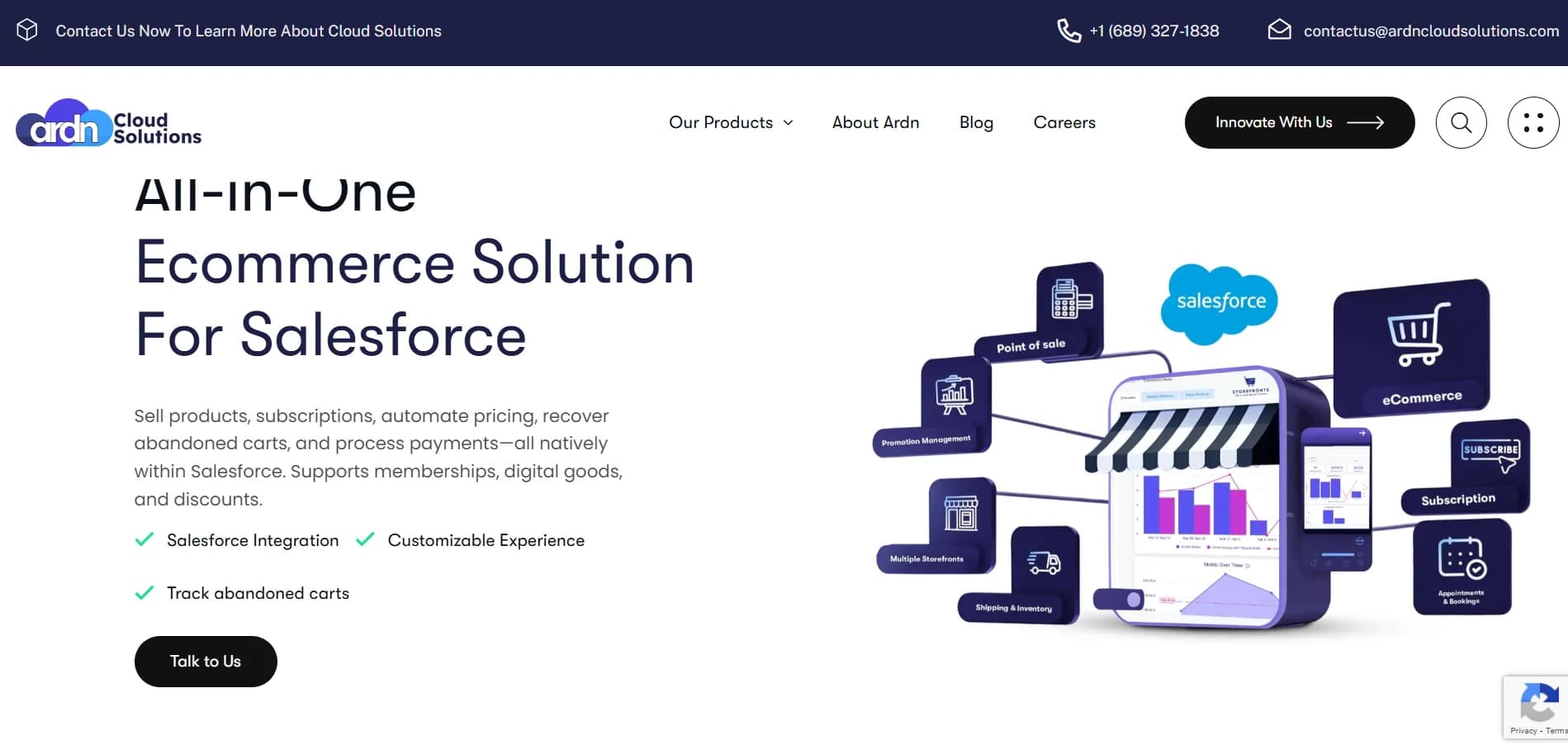
ARDN Storefronts is a fully native e-commerce solution built inside your existing Salesforce org. This Salesforce Commerce Cloud alternative doesn’t require dual-platform management, separate user bases, or complex API integrations.
Key Features:- 100% native to Salesforce
- PCI-compliant payments
- Real-time inventory management
- Real-time dashboard with native Salesforce reports
- One-click setup! No-code branding and customization
- Unlimited price books
- QR code scanning
- ARDN Storefronts lives entirely inside Salesforce. Products, orders, and customers use standard Salesforce objects.
- SFCC, on the other hand, runs on a separate platform that connects to Salesforce via APIs.
- With ARDN, your existing Salesforce admins manage everything through familiar profiles and permission sets.
- SFCC requires separate user management and specialists trained in Business Manager.
- ARDN customizes through Salesforce-native tools so your team builds faster with what they already know.
- SFCC development relies on SFRA, ISML, and cartridge frameworks, which demand specialized developers and longer timelines.
- ARDN connects directly with Sales, Service, and Marketing Cloud. No APIs, no data syncs, no maintenance headaches.
- SFCC needs API integrations to exchange data with Salesforce, which increases setup time and complexity.
- ARDN uses your existing Salesforce license with no GMV-based fees.
- SFCC adds 1–2% GMV licensing, plus extra in setup and ongoing partner retainers.
- SFCC is built for global enterprises managing complex omnichannel operations and large storefront networks.
- ARDN fits Salesforce-first organizations focused on unified operations, mid-market scale, and faster time-to-market.
If you’re already living inside Salesforce every day, adding another platform shouldn’t be what holds you back from selling online. Storefronts keeps everything under one roof so you can move faster, spend less, and actually enjoy running your store!
Ready to see how it all fits together?
Get In Touch! →
Shopify Plus is built for brands that want to launch fast and scale without heavy tech overhead. It’s the go-to for teams that prioritize agility, automation, and omnichannel selling.
SFCC vs Shopify Plus- SFCC is highly customizable and built for complex setups.
- Shopify Plus is faster to launch but gives you less control over the backend.
- SFCC works best for large enterprises, multi-brand stores, and global omnichannel operations.
- Shopify Plus is perfect for high-growth D2C brands with simpler catalogs and checkouts.
- SFCC lets your developers go full-stack with custom pipelines, cartridges, and APIs.
- Shopify Plus has Liquid templates and APIs, but it’s not as flexible.
- SFCC comes with native Salesforce tools like CRM, Marketing Cloud, and Einstein AI.
- Shopify has tons of apps but weaker native CRM.
- SFCC handles multiple global storefronts with ease.
- Shopify can do multi-storefronts too, but it’s still catching up.
- SFCC has higher implementation and partner costs.
- Shopify starts cheaper, but costs can add up as you scale and add apps.
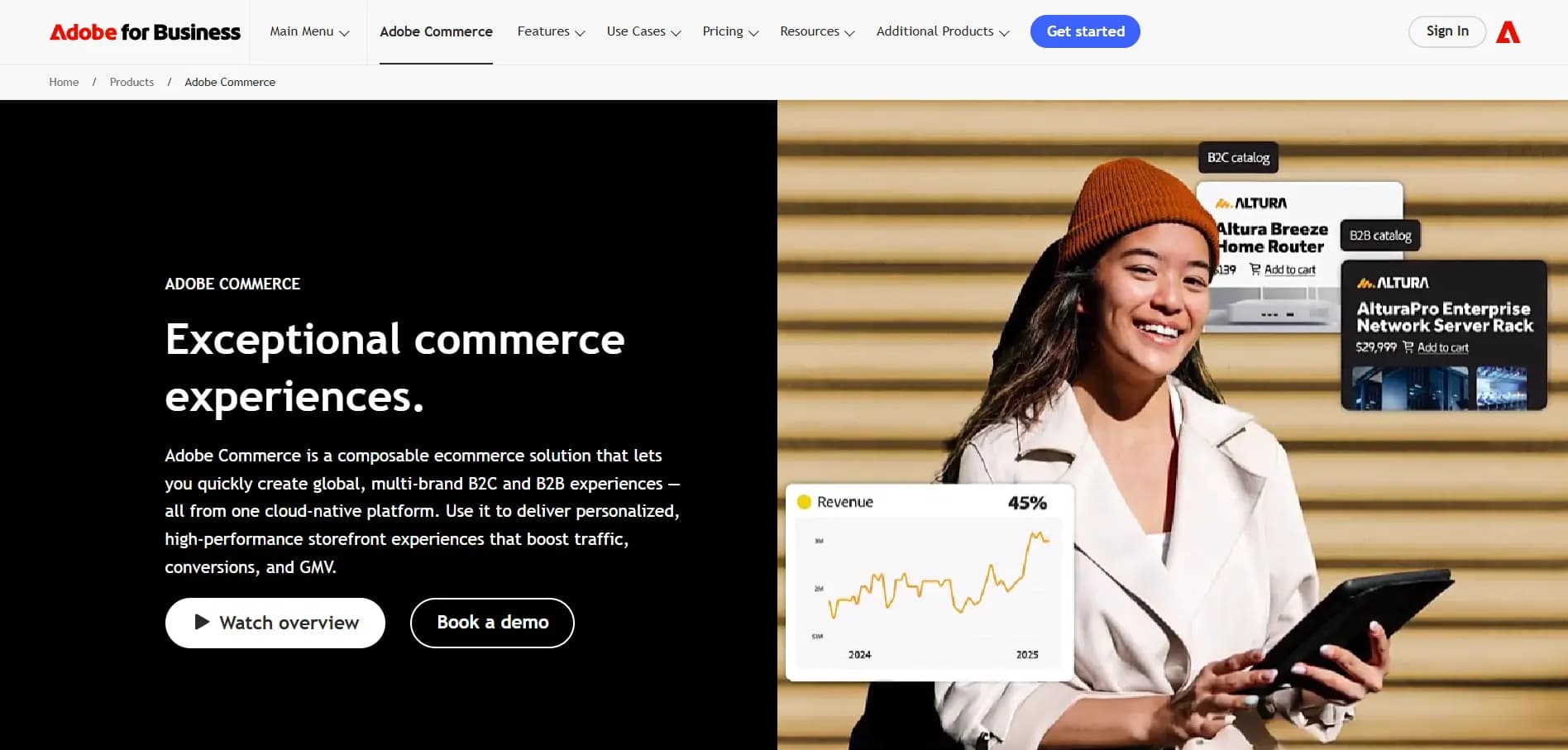
Adobe Commerce suits brands that want complete control over their storefronts. It’s perfect for enterprises running complex B2B/B2C models and global operations that need flexibility and depth.
SFCC vs Magento / Adobe CommerceFor mid-to-large B2B or B2C companies looking at developer-heavy platforms:
- SFCC is SaaS + PaaS, fully managed by Salesforce.
- Magento offers open-source flexibility, or you can go managed with Adobe Commerce Cloud.
- Magento gives full code access.
- SFCC relies on cartridges and structured architecture, which makes it more stable but less open-ended.
- SFCC has a separate B2B suite with some limitations.
- Adobe’s B2B tools (quotes, requisition lists, etc.) are stronger out of the box.
- SFCC depends on partners and has a smaller dev community.
- Magento has a large open-source community plus Adobe partners.
- SFCC scales easily on Salesforce’s infrastructure.
- Magento brands need to manage hosting themselves unless they use Adobe Cloud.
- Magento often means higher dev and infra overhead.
- SFCC has higher licensing and partner fees.

BigCommerce strikes a strong balance between enterprise-grade functionality and affordability. It’s ideal for growing brands that want built-in features without the cost or complexity of a heavy platform.
Alternative #5: Commercetools - For Composable, API-First Architecture
Commercetools is made for engineering-led teams that want to build a custom commerce stack using modern, modular services. It’s ideal for enterprises prioritizing flexibility and innovation over speed to launch.
SFCC vs BigCommerce vs Commercetools- Commercetools is pure MACH (Microservices, API-first, Cloud-native, Headless).
- BigCommerce is SaaS with headless options.
- SFCC is moving toward composable but still has legacy pieces.
- Commercetools gives you total freedom but can be complex to build.
- SFCC comes with pre-built features, ideal for large organizations with defined workflows.
- BigCommerce sits in the middle, quick to scale for mid-market B2B/D2C brands.
- Commercetools is fully API-first.
- SFCC has strong APIs but isn’t fully headless by default.
- BigCommerce offers GraphQL and REST APIs, with some limitations.
- Commercetools needs a strong engineering team.
- SFCC requires Salesforce-specific knowledge.
- BigCommerce is easier to ramp up, especially with agencies.
- SFCC is great for omnichannel, CRM-driven commerce.
- Commercetools works if you’re building a commerce stack from scratch.
- BigCommerce is a balanced choice for mid-market B2B or D2C.
Let’s Compare the Best Salesforce Commerce Cloud Alternatives!
| Criteria | Storefronts | SFCC | Shopify Plus | Magento | Commercetools |
|---|---|---|---|---|---|
| Headless Support | High | Moderate | Moderate | Moderate | Full |
| B2B Features | High | High | Low | High | Moderate |
| TCO (Total Cost of Ownership) | Very Low | High | Moderate | High | Variable |
| Customization | High (Salesforce-native) | High | Low–Moderate | High | High |
| Integration with CRM | Native (same org) | Best-in-class | Limited | Optional | None |
| Best Fit For | Salesforce-first orgs seeking unified operations | Large brands w/ complex needs | High-growth DTC | Dev-led organizations | Cloud-native engineers |
Ask Yourself Before You Choose!
Take a quick reality check before picking a platform:
Do you need tight, real-time integration with Salesforce CRM and Marketing Cloud?
Is speed-to-market more important, or are you focused on building long-term scalability?
Do you have in-house engineering and DevOps to support a composable, headless setup?
Is omnichannel (POS, marketplaces, B2B/B2C portals) essential from day one?
How complex are your B2B requirements, like contract pricing, bulk orders, or approval workflows?
Do you need AI-driven personalization and merchandising to tailor customer experiences?
Will enterprise-grade order management, split shipments, and returns automation be part of your operations?
Are you planning to expand into new geographies that require multi-currency, multi-language, and localized tax/compliance support?
If…
- You’re a small to mid-sized brand without access to Salesforce services
- You lack a technical team or partner for implementation
- You need fast, templated D2C commerce out of the box
- Your catalog is simple and you don’t need advanced customization
- Budget constraints make high licensing and implementation costs challenging
- You don’t require deep CRM, OMS, or AI-driven personalization
- You operate only in a single region and won’t use multi-storefront capabilities
What SFCC Really Costs You
You need to understand the costs, licensing, and ongoing investments that come with it. Here’s a breakdown to help you plan smartly.
How Salesforce Prices Commerce Cloud (Licensing Models)Salesforce mainly uses a revenue share model. You pay a percentage of your Gross Merchandise Value (GMV).
Typical ranges are:
- Starter Suite: $25 USD per user/month (billed monthly or annually)
- Pro Suite: $100 USD per user/month (billed annually; contract required)
- Pay-As-You-Go: 1% of GMV (gross merchandise value), billed monthly
- B2C Growth: 1 % of GMV. Includes 6 B2B shop fronts, Order Management Lite, Analytics, Automation & Segmentation
- Commerce Cloud Advanced (B2B Advanced Edition): 2% of GMV. Includes: 10 B2B shop fronts, Full Order Management, Advanced Analytics, Automation, Segmentation & Personalization
- Commerce Cloud B2C Premium: Contact Salesforce for pricing (annual contract.) Includes: Unlimited shop fronts, Full Order Management, Advanced Analytics, Automation, Segmentation & Personalization
Add-On Products: Salesforce Payments, Retail POS, extra Data Cloud credits, or advanced OMS can be added at fixed or GMV-based prices.
Success Plans:- Standard (included): Self-service support, Trailhead access, and community support
- Premier (30% of net license): Expert guidance, health checks, 24/7 support
- Signature (custom): Dedicated Customer Success Manager, proactive monitoring, fastest SLAs
Implementation depends on your business size and complexity:
- Small Businesses: $15K–$50K for basic storefront setup, minimal integrations, and standard templates
- Mid-Market: $50K–$150K for moderate customizations, SFRA or headless development, and initial integrations (ERP, payment gateways)
- Enterprise: $150K–$500K+ for complex B2B features, AI personalization, OMS setup, global sites, and multi-region deployments
The true cost of ownership comes from people, tools, and ongoing support.
- Internal teams (architects, developers, DevOps, merchandisers) = 60–70% of annual TCO.
- External partners (system integrators, consultants) = $90–$300/hr.
- AppExchange apps = $1K–$10K/yr per license.
- Development tools (IDEs, CI/CD, testing) = $1K–$10K/seat/yr.
- Success Plan fees = 15–30% of net license annually.
- Partner retainers = $2K–$10K/month.
- Hosting/CDN/edge extras = $1K–$5K/month.
Note: These are approximate values for your reference.
Why Leading Brands Choose SFCC (And How They Use It)
From online to in-store, SFCC helps brands keep every shopping experience smooth, personal, and connected.
Retail & Omnichannel CommerceRetailers are bringing online, in-store, and mobile channels together using Commerce Cloud. Features like buy-online-pickup-in-store, ship-from-store, and POS integrations make fulfillment smoother and keep customer profiles consistent no matter where someone shops.
- Fashion: Brands use AI personalization and headless APIs to roll out new collections quickly on web and mobile.
- Pharma: D2C setups handle age checks, prescription workflows, and compliance so regulated products can sell safely online.
- Consumer Electronics: Companies integrate warranties, diagnostics, and subscription services directly into their storefronts with headless APIs.
- Global Sports Brand: They manage high-traffic product launches with auto-scaling infrastructure and CDN optimizations, so nothing slows down even during peak demand.
- Luxury Watchmaker: They run multi-site, multi-currency storefronts while keeping administration centralized and ensuring local compliance is met.
- Automotive Parts Manufacturer: They provide dealers with portals that include contract pricing, quick reorders, and customized catalogs, making B2B commerce seamless.
Challenges You Should Know Before Jumping In
Here are a few real-world hurdles to consider before you commit.
Implementation Complexity & Learning CurveIt can take time to get SFCC running smoothly. Teams need to learn the platform, work with its architecture, and manage customizations, especially if you’re going headless or using PWA Kit.
Partner Dependence & Developer EcosystemYou’ll rely heavily on experienced partners. The developer community isn’t as big as some open-source platforms, so finding the right help is important.
Composability vs All-in-One DebateSFCC gives you flexibility with composable options, but some businesses may prefer a simpler, all-in-one solution. It’s all about balancing customization with convenience
If these challenges seem a bit too relevant for you, there’s a solution right here!
Start Your Journey with ARDN’s Storefronts!
If you’ve ever tried extending Salesforce for commerce, you know it’s not as simple as flipping a switch. You’re juggling multiple platforms, syncing data across tools that don’t always talk to each other, managing payment gateways, and still trying to scale without burning through your budget.
ARDN’s Storefronts simplifies all of it.
How ARDN Supports Your JourneyStorefronts lives entirely inside Salesforce, so there are no middleware or third-party storefronts to worry about. Here’s what it does for you:
- Keeps products, price books, customers, and orders perfectly in sync.
- Connects easily to Stripe, Paymentus, and other major gateways while staying PCI-compliant under your Salesforce org.
- And because it’s built on standard Salesforce data models, inventory, promotions, and order management run automatically in the background. This means less busywork, faster launches, and smoother operations!
If you’re ready to roll, here’s how to go about it:
1. Assess & Plan: Start by reviewing your current Salesforce setup. Identify what needs to be customized (product catalogs, pricing, or payment flows.)
2. Configure: Install the ARDN Storefronts managed package right from AppExchange, map your products and attributes, and connect your preferred payment gateway.
3. Customize: Fine-tune the look and feel using Lightning components or Experience Builder pages.
4. Launch: Publish your site and assign permissions. And, that’s it. You’re live, that too without waiting months for deployment!
5. Optimize: Don’t stop! Track orders, inventory, and promotions right from Salesforce reports. Make changes as you go.
Confirm Salesforce edition and API access
Validate your payment gateway setup
Enable multi-currency or localization if needed
Identify ERP, POS, and CRM integrations
Decide who’s managing ongoing support (Is it your team or an ARDN partner?)
Before locking in, it’s worth asking yourself a few practical questions:
- Do you want a fully native Salesforce e-commerce setup, or are you okay maintaining multiple tools?
- Which payment gateways do you rely on, and do you need full PCI compliance inside Salesforce?
- How fast do you want to launch? Days or months?
- How much flexibility do you need in catalogs, promotions, and checkout?
- Are you planning to add things like subscriptions or event ticketing later?
- Who’s going to manage updates and feature enhancements? Your admins or a partner?
If you’re nodding along thinking, “Yep, that’s exactly what we need,” then you’re ready for ARDN Storefronts.